
Need a copy of your invoice? Whether you’re handling bookkeeping, expensing your purchase, or just want a record of your payment, here’s exactly how to access your invoices from Winning Ads.
📩 Option 1: Search Your Email
When you signed up, you automatically received an email receipt from our billing provider.
-
Sender name: Winning Ads
-
Email address:
receipts@thrivecart.email -
Subject line:
Winning Ads: Invoice
✅ Simply search your inbox (and spam folder) for “Winning Ads: Invoice” to locate it.
🌐 Option 2: Access via the Billing Portal
If you can’t find the email or need multiple invoices, you can always use our self-serve billing portal:
🔗 Go to: https://join.winningads.com/updateinfo/
Step-by-Step:
-
Enter the email address you used at purchase
-
Check your inbox for an email from ThriveCart
-
Click the secure link in that email
-
You’ll be taken to your Billing Dashboard
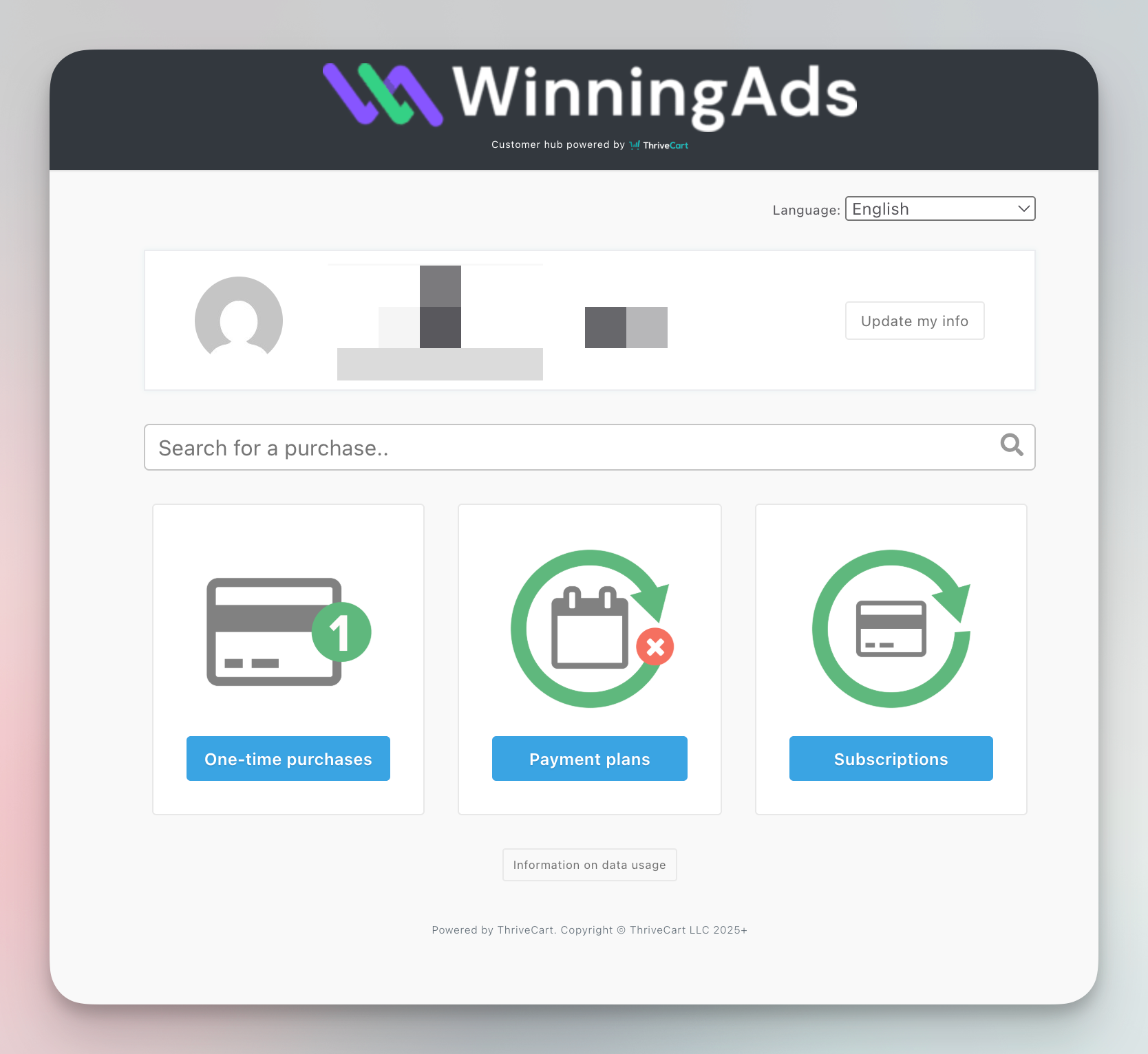
Once you’re in, you’ll see three categories:
-
💳 One-time purchases — for one-time products or add-ons
-
📅 Payment plans — if you’re on a scheduled installment
-
🔁 Subscriptions — for recurring plans like the Pro or Agency plan
Click on the relevant section to browse your transaction history. Inside each transaction, you’ll find a downloadable invoice.