How to create ads in your own language
Written By Wilco
Last updated 10 months ago
Want to generate ads in Dutch, Spanish, German, or any other language? No problem — Winning Ads supports ad creation in any language, and it’s easy to set up.
🧭 Step-by-Step Instructions
1. Open the Project You Want to Use
From your dashboard, click into the project where you want to generate ads.
2. Go to Project Settings
Click the “Project Settings” tab at the top of the project view.
3. Choose Your Language
Use the dropdown to select your preferred language (e.g. Dutch, German, Spanish, etc.).
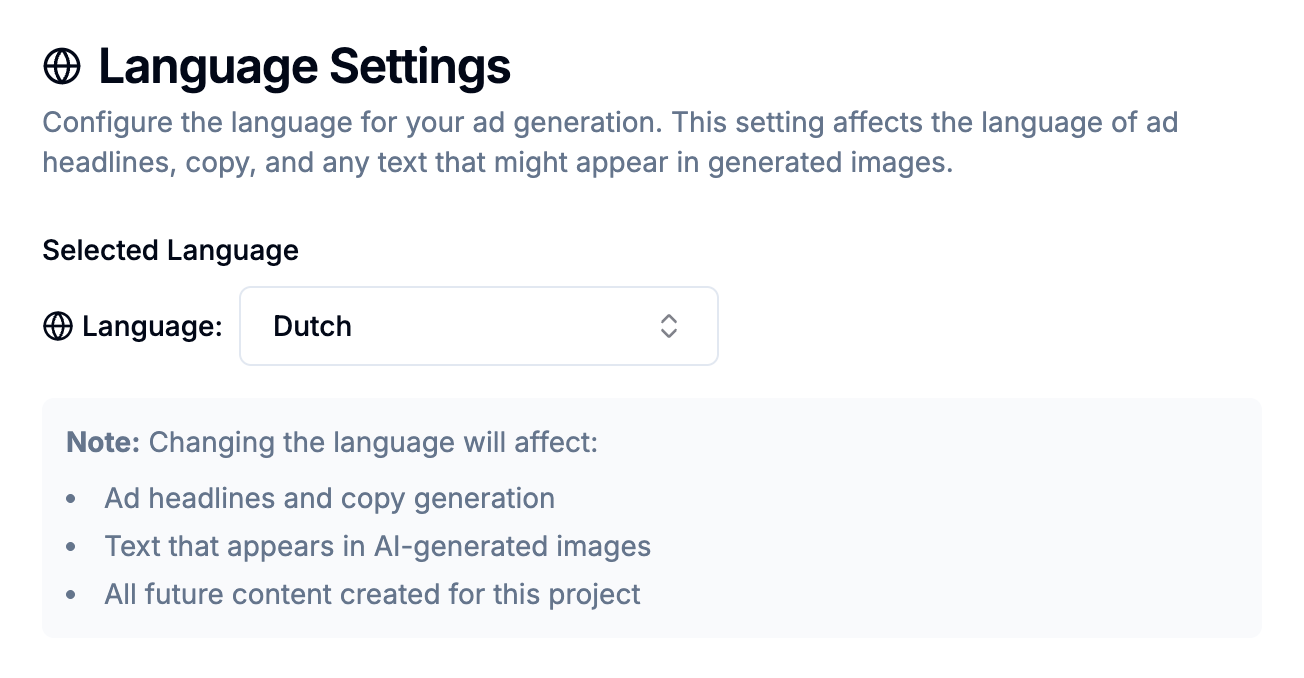
💡 Note: The language setting is applied per project. All ads generated in this project will follow the selected language.
4. Generate Your Ads
Now that your language is set, generate your ads as usual. The newly generated ads will be created in the selected language.
⚠️ Important Notes
Language must be set before generating ads.
If you change the language after ads have been created, those previous ads will not be updated or translated.Want ads in multiple languages?
Create separate projects for each language you need.Need a language that’s not listed?
Just contact us and we’ll add it for you. We support all global languages.