Can I Use Winning Ads to Create Facebook Lead Ads (Instant Forms)?
Written By Wilco
Last updated 3 months ago
Yes! Winning Ads fully supports publishing ads directly into Lead Ad campaigns on Meta.
As of January 2026, you can publish your ads straight into a Lead (Instant Form) campaign — no workarounds needed.
Winning Ads currently supports three campaign objectives: Traffic, Sales, and Leads.
🎉 How to Publish to a Lead Ad Campaign
Follow these steps to get your Lead Ads live through Winning Ads:
Step 1 — Connect (or Reconnect) Your Meta Account
Head to Settings > Integrations and make sure your Meta account is connected: 👉 https://app.winningads.com/profile/integrations
Important: If you connected your Meta account before January 2026, you must disconnect and reconnect it to get the updated permissions required for Lead Ads. During reconnection, make sure to select ALL pages when prompted.
Need help connecting your account? See: https://help.winningads.com/en/articles/6463593-how-to-connect-your-facebook-ads-account
Step 2 — Create a Lead Campaign and Ad Set in Meta Ads Manager
In Meta Ads Manager, create a new campaign with the "Leads" objective. Then create an Ad Set within that campaign. (Facebook requires at least one ad to publish the campaign — just create a placeholder ad, then turn it off immediately.)
Step 3 — Create and Publish Your Lead Form (Instant Form)
Still in Meta Ads Manager, create your Lead Form (Instant Form). Two things to keep in mind:
The Lead Form must be Published — not left in Draft status.
The Lead Form must be created on the same Facebook Page you have selected in Winning Ads.
Step 4 — Publish from Winning Ads
Back in Winning Ads, click Publish on your ad. You'll be able to:
Select your Lead campaign and Ad Set.
Choose your Lead Form from a dropdown.
Hit Publish — and you're live!
That's it. The process works just like publishing to Traffic or Sales campaigns, with the added step of selecting your Lead Form.
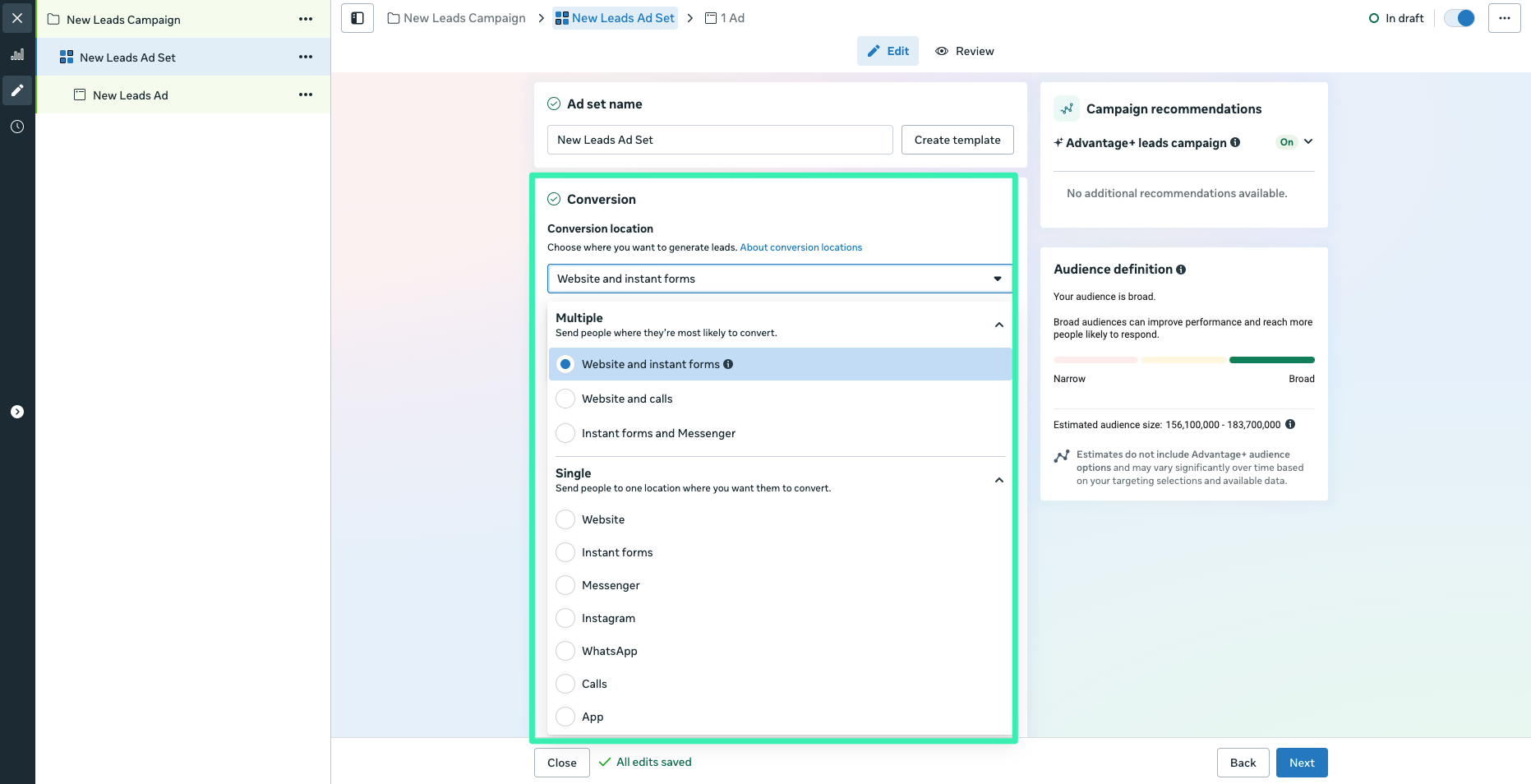
Supported Conversion Locations
Lead Ads work across all conversion locations Meta offers:
Instant Forms
Instagram Direct Messages
Messenger
Website with Lead Form
And others
🔧 Troubleshooting
If you run into issues, here are the most common causes and fixes:
"Failed to Load Lead Forms"
This is almost always a permissions issue. Go to Settings > Integrations (https://app.winningads.com/profile/integrations), disconnect your Meta account, and reconnect it. When reconnecting, make sure to select ALL pages during the permissions prompt.
"No Lead Forms found for this page"
Two things to check:
Is your Lead Form published? Forms in Draft status won't appear. Open Meta Ads Manager and make sure the form's status is Published.
Is the form on the right page? The Lead Form must be created on the same Facebook Page that you've selected in Winning Ads. If it was created on a different page, it won't show up.
Connected your Meta account before January 2026? You must disconnect and reconnect your Meta account to enable Lead Ads support. The original connection didn't include the permissions needed for Lead Forms. Reconnect at Settings > Integrations: https://app.winningads.com/profile/integrations
❓ FAQ
Can Winning Ads create the Instant Form for me? No — you'll create and configure your Lead Form inside Meta Ads Manager. Winning Ads handles the ad creative (copy, images, and publishing) and lets you select which form to attach.
Do I need to create a demo ad in the campaign first? Yes. Facebook won't let you publish a campaign without at least one ad in it. Just create a placeholder ad to get the campaign live, turn it off, and then use Winning Ads to add your real creatives.
What campaign objectives does Winning Ads support? Traffic, Sales, and Leads.