What to do if you can’t select your Facebook page for ad publishing
Sometimes your Facebook page may not appear in WinningAds during the ad publishing process, it won't find the Lead Ads form, or you may see a related error. In most cases, this is a permissions issue. To fix it, you need to reconnect your Facebook integration and make sure all required pages are selected during the process.
Written By Ziga Mlakar
Last updated 3 months ago
How to reconnect your Facebook pages
Go to your WinningAds profile (top-right corner).
Click on Integrations and select Disconnect.
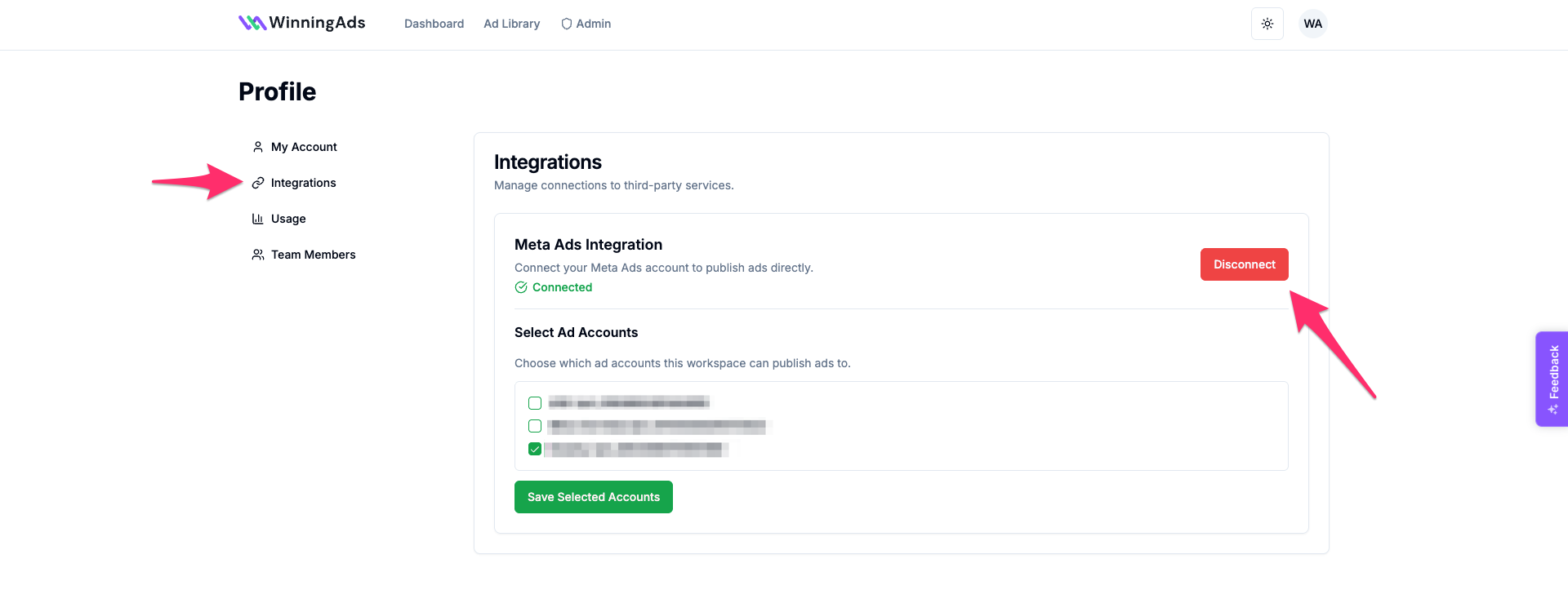
Click Connect again. You’ll be redirected to Facebook to confirm the integration.
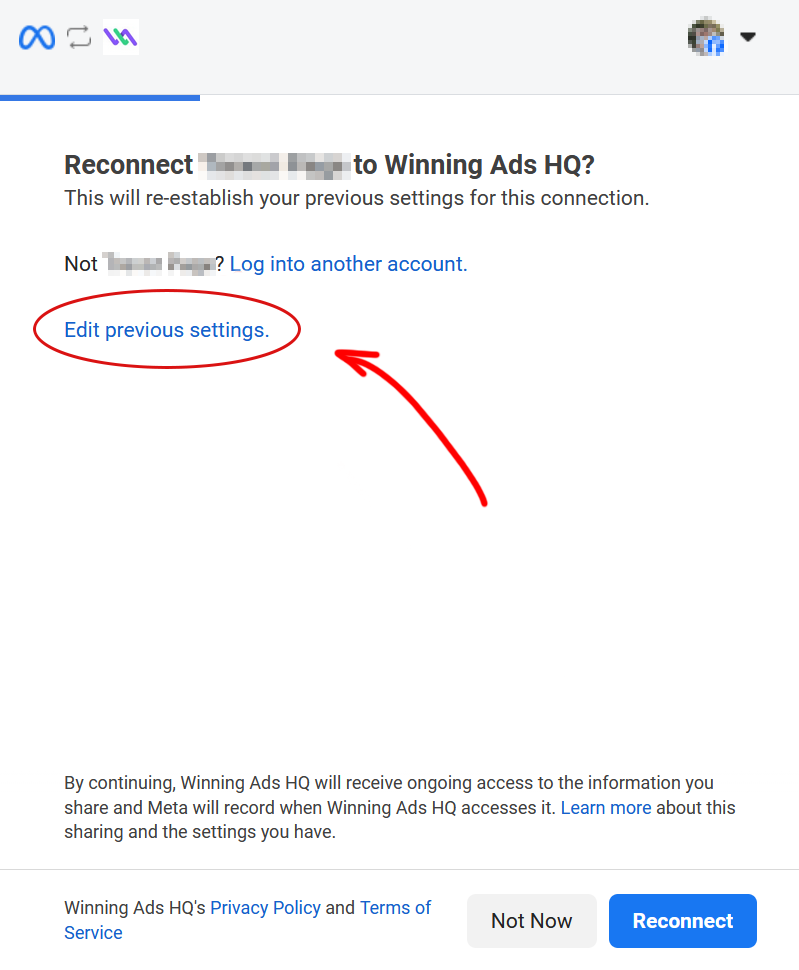
This step is crucial:
Don’t just reconnect. Click “Edit previous settings.”
You’ll see a list of your Facebook pages.
Select all pages you want to use for publishing ads via WinningAds.
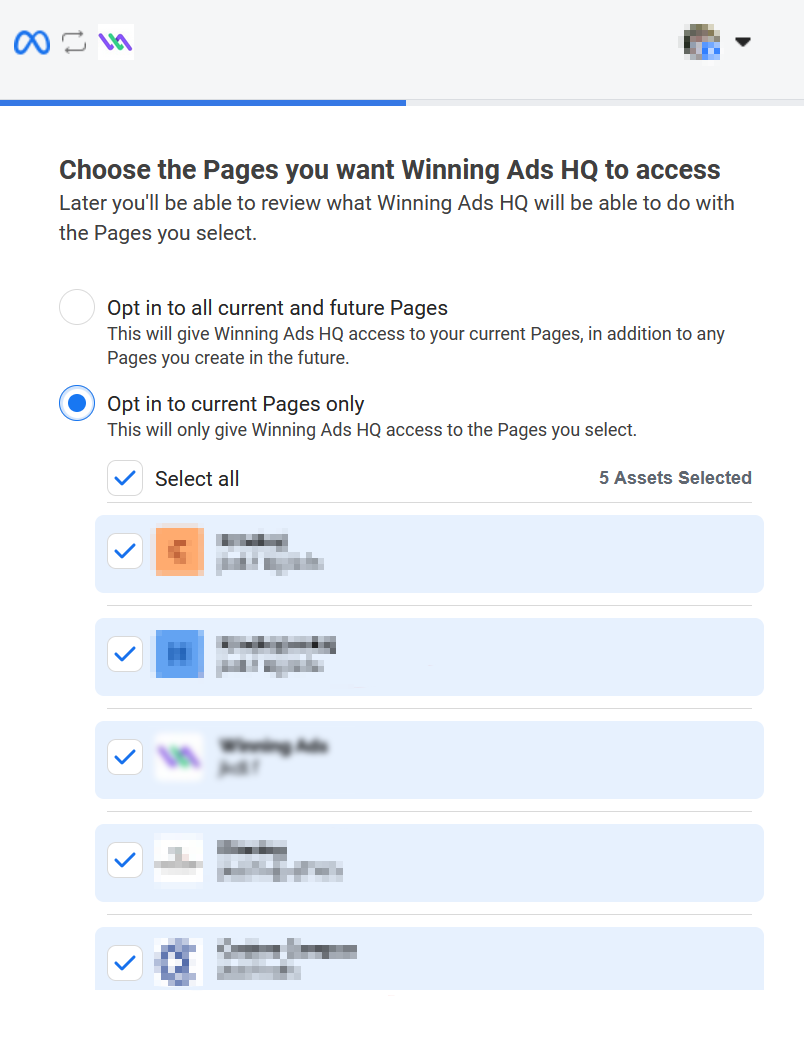
Finish the reconnection process.
After this, your Facebook page should appear correctly when publishing ads in WinningAds.